Your Phone Photo →
Professional in Seconds
Upload a photo of your dish. Pick a style. Get back food photography that looks like you hired a professional — without the $500 bill.
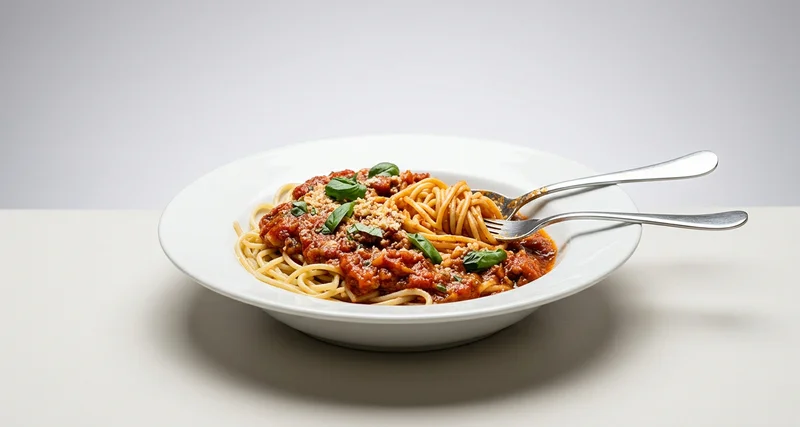
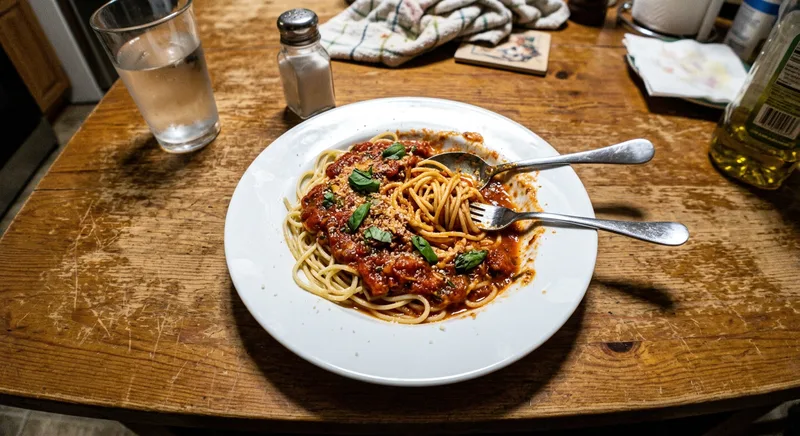
← Drag to compare →
Your food deserves better than a phone photo
Great food with bad photos is leaving money on the table.
Photographers cost $500+ per session
And you still have to schedule, brief, and wait days for edited files.
DIY editing takes 30+ minutes per photo
Time you could spend running your kitchen, not wrestling with Lightroom.
Bad photos = fewer orders on delivery apps
Listings with professional photos get up to 30% more clicks on Uber Eats and DoorDash.
Inconsistent photos hurt your brand
Different phones, different lighting, different days — your menu looks like a patchwork.
12 professional styles, one click
From bright & clean to dramatic advertising — find the perfect look for your brand.
Essentials
Before After Clean & Bright
Studio lighting, clean surface. Websites & menus.
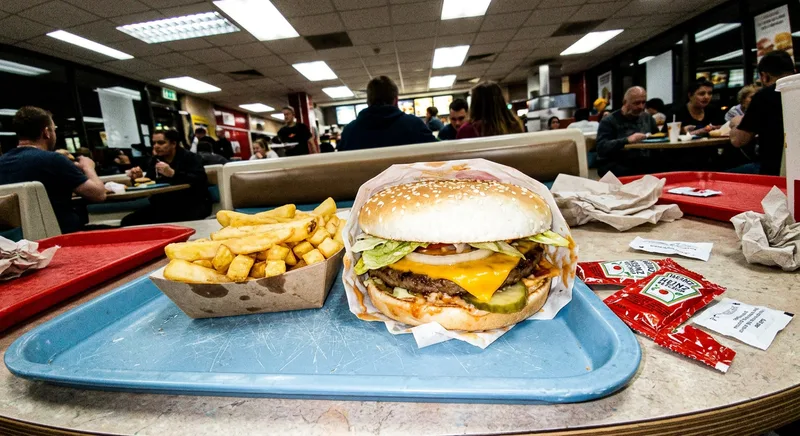 Before
 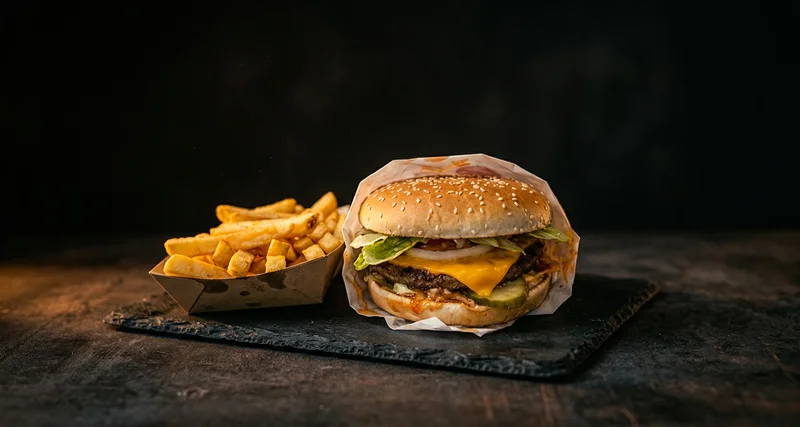 After
After Dark & Moody
Dramatic side lighting, deep shadows.
Before After Overhead Flat-Lay
Bird's eye view. Instagram-ready.
Before After Rustic Warmth
Golden tones, cozy homestyle.
Before After Delivery Ready
Bright, high contrast for apps.
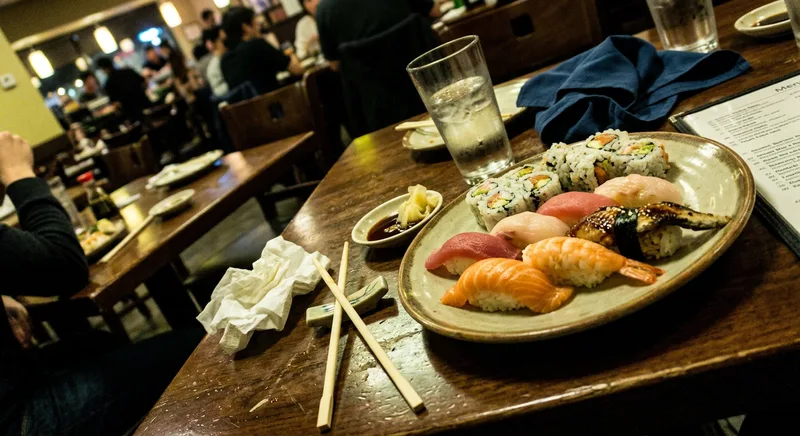 Before
 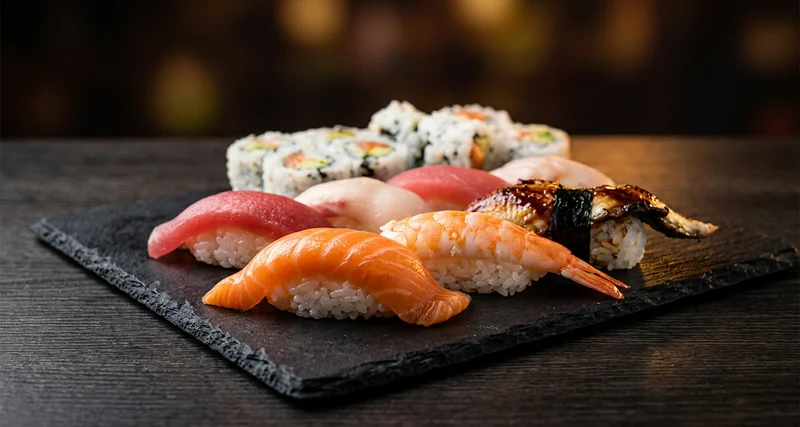 After
After Menu Hero
Classic 45° fine dining angle.
Creative
How it works
Three steps. Under 30 seconds. No design skills needed.
Upload Your Photo
Snap a photo with your phone or upload an existing one. No studio needed.
Pick a Style
Choose from 12 professional styles — bright, moody, flat-lay, and more.
Download & Use
Get your enhanced photo in seconds. Ready for menus, apps, and social media.
Built for where your food shows up
Every platform. Every format. Always on-brand.
Uber Eats & DoorDash
Boost click-through rates with professional listing photos that stand out.
Instagram & TikTok
Create scroll-stopping food content without a photography budget.
Restaurant Website
Fill your site with beautiful food imagery that converts visitors to diners.
Print Menus
High-resolution photos ready for your printed menu or table displays.
Google Business
Stand out in local search with professional food photos on your listing.
The old way vs FoodPicAI
Professional results without the professional price tag.
| Old Way | FoodPicAI | |
|---|---|---|
| Cost | ✕ $500+ per shoot | ✓ From $9/month |
| Time | ✕ Days to schedule | ✓ Under 10 seconds |
| Photos per session | ✕ 10–20 | ✓ Up to 500/month |
| Consistency | ✕ Varies by photographer | ✓ Same quality every time |
| Mobile-friendly | ✕ Need to transfer files | ✓ Snap and enhance on phone |
| Revisions | ✕ Extra cost | ✓ Unlimited style changes |
Built for restaurant owners who want professional food photos without a photographer
See real before & after examples on our examples page.
Phone to Professional
Snap a photo with your phone in the kitchen. Get back a shot that looks like you hired a food photographer.
12 Styles, One Click
From clean & bright for delivery apps to dark & moody for fine dining — find the exact look for your brand.
Under 10 Seconds
No scheduling. No editing. No waiting days for files. Upload, pick a style, download. Done.
Simple, transparent pricing
Professional food photos from $0.30 each. Start with a one-time pack or subscribe to save.
Starter
Try it out. Perfect for a quick menu refresh.
- ✓ 20 photos per month
- ✓ All 12 styles
- ✓ All aspect ratios
- ✓ 1K resolution
- ✓ No watermark
Pro
For restaurants posting regularly on socials and delivery apps.
- ✓ 150 photos per month
- ✓ All 12 styles
- ✓ All aspect ratios
- ✓ 2K resolution
- ✓ No watermark
- ✓ Batch upload (up to 10)
Business
For chains, dark kitchens and agencies managing multiple brands.
- ✓ 500 photos per month
- ✓ All 12 styles
- ✓ All aspect ratios
- ✓ 4K resolution
- ✓ No watermark
- ✓ Batch upload (up to 25)
- ✓ Priority support
Just want to try it?
No subscription needed. Buy a photo pack and use them anytime.
Credits never expire. Added instantly after purchase.
Need more than 500 photos/month? Contact us for enterprise pricing.
Frequently asked questions
Does it change my food? +
What image quality do I get? +
How many photos can I enhance? +
What formats are supported? +
Is my data safe? +
Can I use it on my phone? +
Latest from the blog
Guides and tips to get the most from your food photography.
How to Take Professional Food Photos with Your Phone
6 simple techniques to improve your food photography using just your smartphone.
6 min readUber Eats Food Photo Requirements 2026
Exact specs, sizes, and best practices for Uber Eats menu photos.
7 min readAI Food Photography: How Restaurants Are Using AI
How AI enhancement works and why restaurants are switching from photographers.
Ready to make your food look incredible?
Professional food photos from just $9. No photographer needed.